Switching from Jobber
Moving from Jobber? Bring your clients with you.
Export your clients from Jobber, pick the Jobber preset in Fishtape's Import screen, and they come across with their addresses, tags and company names. Then add the electrical side.

What comes across
- Jobber clients: names, companies, emails, phones, addresses and tags. A client with several properties comes in once; the repeat rows are skipped.
- Your price book and jobs from any spreadsheet, using the generic import with a template for each.
- Duplicates found by email, phone or name, and you choose to skip or update them. Money and dates are read the Canadian way.
How to move
- In Jobber, export your client list as a CSV.
- Export your products and services, or keep your price book in a spreadsheet.
- In Fishtape, open Import, pick the Jobber preset and drop the file in.
- Check the column matches and the preview, then import. Up to 20,000 rows per file; you can undo an import on the device that ran it.
Then add the electrical side
The tools a general field-service app doesn't have.
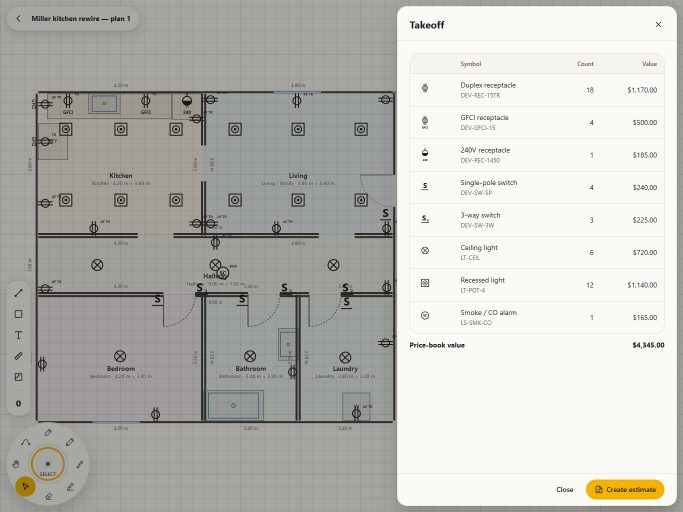
Plans and takeoff
Bring in the whole PDF plan set, mark it up and count devices straight into the estimate.
Pro and up
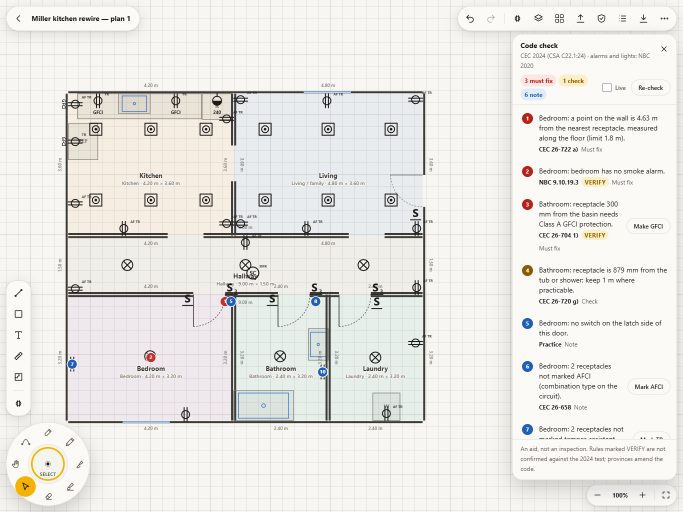
Box auto-placement and CEC checks
Draw a room and Fishtape places the boxes, then checks spacing, GFCI, AFCI and TR on the drawing.
Pro and up
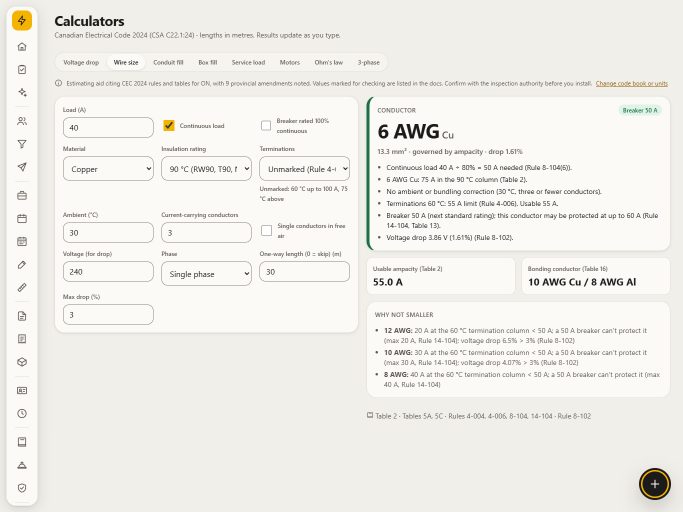
CEC calculators
Conductor sizing, voltage drop, conduit and box fill, demand loads and motors, with the rule numbers.
Every plan
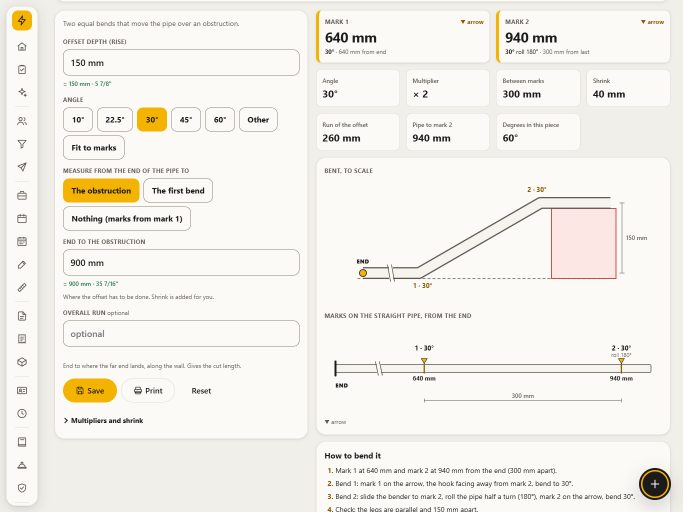
Pipe bending
Offsets, saddles, kicks, 90s and more for EMT, rigid and PVC, with a diagram and every mark.
Every plan


Questions
Can you move the data for me?
Yes. Send us the export files and we bring them across and check them with you. It's quoted per job. See Services.
Do I have to cancel my old software first?
No. Run both during your Fishtape trial, then cancel the old one when you're ready.
Is there a cap on how many clients I can import?
No. Every plan has no caps on clients, jobs, estimates, invoices or drawings. One file holds up to 20,000 rows; split bigger lists into several files.
Jobber and QuickBooks are trademarks of their owners. Fishtape is not affiliated with them; the presets read the export files their own help pages describe.
Try it on your next job
14 days free on the plan you pick. A $1 deposit confirms your card and comes off your first month. Cancel before the trial ends and the plan is never charged.